What an almanac is
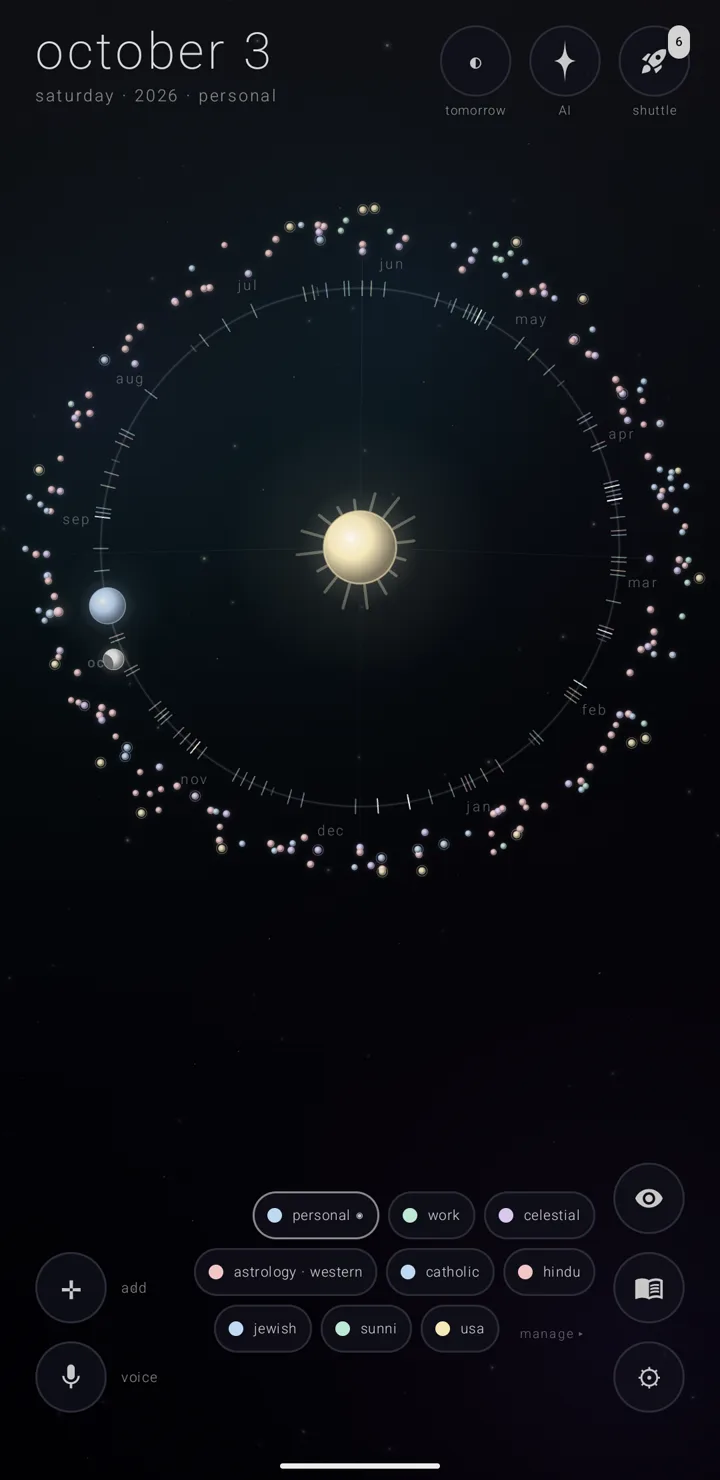
An almanac is a named, coloured layer of commitments — what other apps call one calendar. Several almanacs share one sky, the whole canvas the app draws your year on. Each commitment — one thing you have to do — belongs to one almanac.
What an almanac carries
Your own almanacs live in Zenith's own files. An almanac can instead be a mirror of a calendar already on your phone.
Each one carries:
- its name and colour
- its mark — the small glyph or picture it wears
- a line saying what it is for
- the page look its commitments wear
- how much warning its commitments get, and what they sound like
- its own lock
An almanac is plugged into at most one place outside Zenith — or into nothing at all. Plugged into nothing is an ordinary, complete thing to be.
Eclipsed or archived
These two are easy to mix up. Neither one loses anything.
- Eclipsed means kept but not drawn. The almanac still stands in the binder — the page where all your almanacs stand in order — and it still has a chip. It draws nothing on the sky.
- Archived takes it off the calendar and off the legend, while keeping everything in it. The binder calls that shelf "retired". An archived almanac has no chip at all.
See The shelves — binder, archive & pyre, and The lock for locking one.
The legend
The legend is your almanacs as a small cluster of chips, floating over the sky.
Find the book, "almanacs", in the bottom-right column of corner buttons.
- Tap the book to float the legend beside it. There is one chip per almanac. The chips wrap upward as they fill, and scroll inside themselves rather than running off the top. The sky stays visible behind.
- Tap the book again, or use the back gesture, to close it.
- Hold the book to skip the legend and open the binder instead. See The binder.
"manage ▸", with a small arrow, sits after the last chip. It opens the binder too.
Each chip
A chip is a dot in the almanac's colour and its name in lowercase.
- The dot is filled while the almanac is on the calendar. It becomes a thin ring while eclipsed, and the name dims with it.
- The almanac new commitments land in ends in the ringed dot "◉".
- Archived almanacs have no chip. With none left, the legend draws nothing.
Tap a chip to eclipse that almanac or bring it back. The app says "“‹name›” eclipsed" or "“‹name›” returns to the calendar".
Hold a chip for its menu
A small menu opens at the chip.
At its head is the almanac's name. Under it: how much it holds and where it stands — "‹n› this year · on the calendar", or "· eclipsed". One fed by a phone calendar also says which and how: "· reads from ‹name›", "· syncs with ‹name›", "· paused", or "· fed by a phone calendar" when it cannot name one.
Next is a row of colour swatches. Picking one changes nothing yet. "✓ keep this light" appears underneath, and only that applies it — so to back out, dismiss the menu. Every colour is in the row, including the vivid half (Gold). Without Gold those are dimmed and marked with the four-pointed star ✦. Tapping one closes the menu and opens the Gold offer on "the vivid colours".
Then four rows:
- "✎ rename" — the pencil turns the name into a field. Keep the new name with the "✓" tick.
- "☰ its commitments" — opens that almanac's list.
- "◉ make default" — offered only where the almanac can take a commitment and is not already the default. It answers "new commitments land in “‹name›”".
- "… more" — opens the full edit dialog. See Edit an almanac.
Making an almanac
- Open the binder.
- Hold the cross ✛ in the bottom-left corner.
- Choose "◔ an almanac" — the part-filled circle.
The new almanac is named "almanac ‹n›", and its page opens straight away. Where its contents come from is set later, on that page — never at the moment you make it.
Three almanacs you make or bring in are free. A fourth needs Gold (Gold). The almanacs the app ships with never count toward the three: the sixty-two holiday ones, "celestial" and the two astrology ones. Nor do the demo almanacs, filled in for you to look around in. See Holiday almanacs and Sky & astrology almanacs.
See also.
The binder · An almanac's page · The shelves — binder, archive & pyre · Zenith Gold in the calendar