The eye — putting repeats away
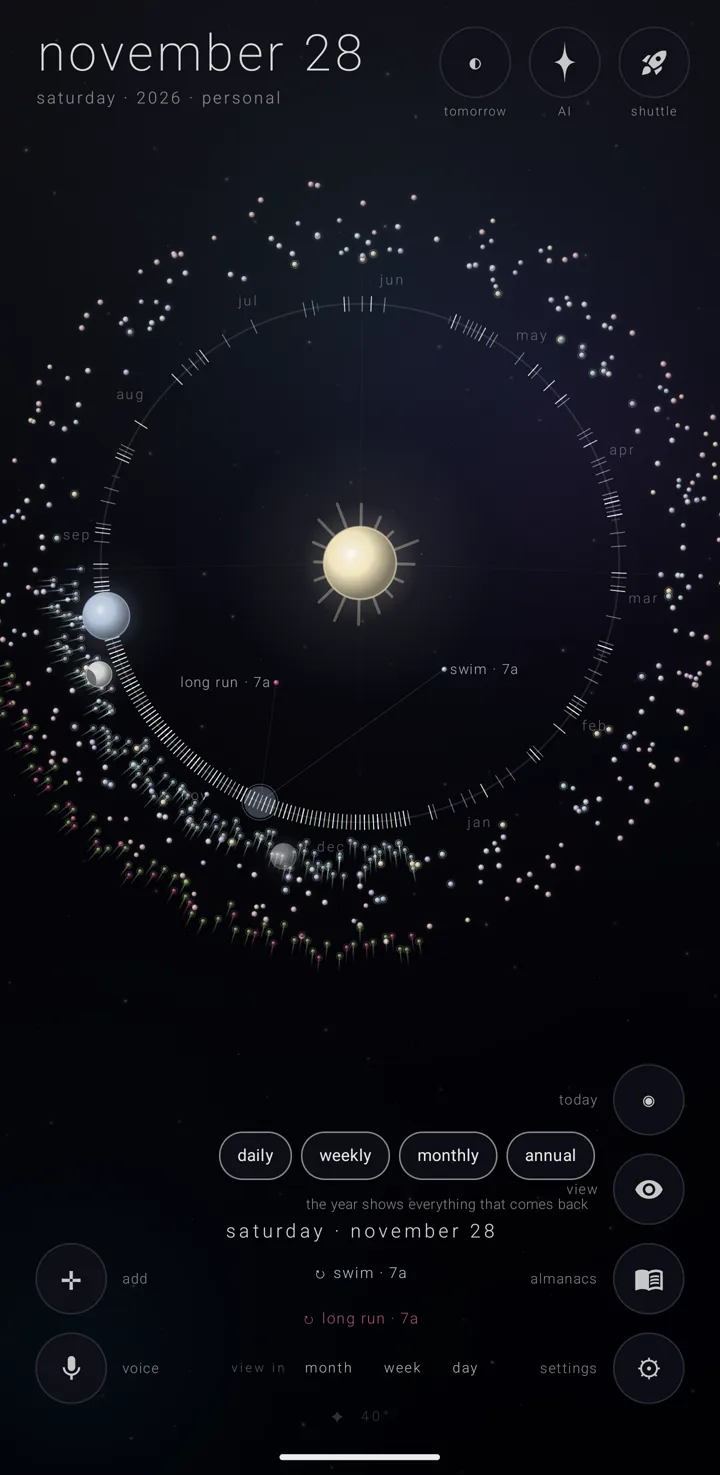
The eye is a corner button, labelled "view", that hides repeating commitments from the sky — the canvas the calendar is drawn on — so the rest is easier to see. It changes nothing about the commitments themselves. It only changes what is drawn.
A commitment is one thing you have to do. Some happen once; others repeat every day, week, month or year.
Where it is
The eye stands in the bottom-right column of corner buttons, above the book, "almanacs". It appears in the year and the years views, and nowhere else. See The year & the years.
Put a kind of repeat away
- Go to the year or the years view.
- Tap the eye, "view". Four pills appear: "daily", "weekly", "monthly" and "annual".
- Tap a pill to put that kind of repeating commitment away. Tap more pills to put more kinds away.
- Look at the eye. It shows a closed eye while anything is being put away.
Bring them back
- Tap the eye, "view".
- Tap the pill again for each kind you want back.
The closed eye shows only while something is put away.
What to expect
- Things that happen once stay. They have no pill and are always drawn. That is why the sky can stay busy with all four kinds put away: a full moon, an eclipse and a planet's turn each happen once.
- The fan follows the eye. The fan — the picked day's commitments, spread out toward the sun on the year view — leaves out any kind the eye is putting away.
- Nothing is changed or lost. The commitments are still there, with every detail. They are only out of sight.
- It belongs to this phone's install only. The eye's choice is not in any backup, not on any settings page, and not in any export.
See also.
The orrery · The year & the years · What a commitment is · The sky
Was this page helpful?Thanks for the feedback.
Last updated