The calendar's voice
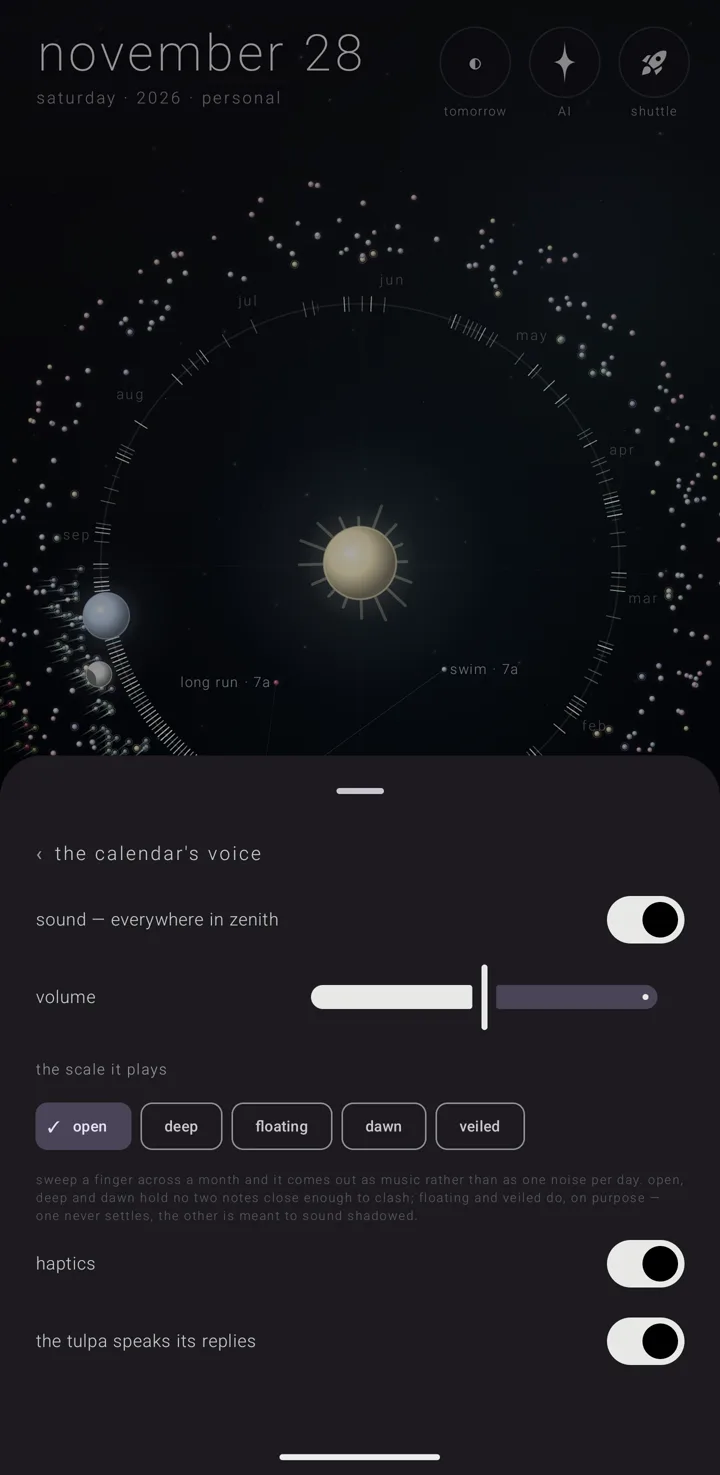
The calendar makes two kinds of sound, and both are free.
- Its own voice. A glass-like tone, made on the phone as you touch it, with no recordings in it at all. It plays in one of five musical scales.
- The family's cues. Short recorded sounds shared by every Zenith app, so a tap, a selection, an opening and a closing feel the same across the family.
Of the family's eleven cues, the calendar plays seven:
- flying down into a view;
- flying back out;
- jumping home, or standing the years up;
- taking hold of the moon;
- eclipsing an almanac in the legend — hiding one of your named, coloured layers of commitments from the sky;
- a commitment really placed;
- the assistant being called.
Where it is
Everything is on settings › "the calendar's voice". Its line in the settings book reads "sound · volume · haptics · readback". To open the book, hold the gear ⚙ in the bottom-right corner of the sky.
The controls, in the order they appear:
"sound — everywhere in zenith"
The one switch for all of it. On to start.
This switch belongs to the whole Zenith family, not only the calendar. Turning it off here turns Zenith's interface sound off in every Zenith app on the phone. Turning it on in another Zenith app turns it on here. Off, both layers are silent everywhere in the calendar. The next two rows only show while it is on. See Sound across the suite.
"volume"
One slider for both layers together, from nothing to full. It starts halfway.
It sits under the phone's own volume, not beside it. The calendar plays on the phone's ring and system volume, not on the media volume. So the phone sets the ceiling, and this slider scales beneath it. That has three results, all intended:
- Silencing the phone silences the calendar.
- The phone's own volume buttons already move it.
- The calendar never takes over the audio, so it can never pause your music.
"the scale it plays"
Five chips. Choosing one plays a short phrase in it straight away, so you hear it instead of taking a name on trust. The chosen one carries a tick "✓". It starts on "open".
| Scale | Its character |
|---|---|
| "open" | bright |
| "deep" | — |
| "floating" | unresolved |
| "dawn" | airy |
| "veiled" | shadowed |
The note under them explains why scales matter: "sweep a finger across a month and it comes out as music rather than as one noise per day. open, deep and dawn hold no two notes close enough to clash; floating and veiled do, on purpose — one never settles, the other is meant to sound shadowed."
These are the same five scales Zenith Launcher offers, in the same order. A scale means the same thing on your home screen as in your calendar.
"haptics"
Near the foot of the page. On to start. Whether a touch is answered by a small vibration. It is the same switch as "haptics" on settings › "ease" under "touch" — change one and both change. The scrub's texture, the soft bumps under a dragging finger, rides on top of it. See Ease — motion, colour & touch.
"the tulpa speaks its replies"
The last row. On to start. Here "the tulpa" means the assistant. The switch decides whether the sky's answers — the assistant's replies — are read aloud. They are spoken in the phone's own speech voice, using the assistant's chosen voice, pitch and rate.
- Switching it off stops a reply already being spoken, rather than letting it finish.
- The voice also stops when the ask sheet closes.
- The same switch is the speaker button inside the ask sheet. There it reads "readback on" or "readback muted".
What the assistant sounds like is shared across the family, so it sounds like itself in every Zenith app. See Cielo & lenses.
See also.
Sound across the suite · Ease — motion, colour & touch · Ask the sky — the assistant · The settings book