My sky
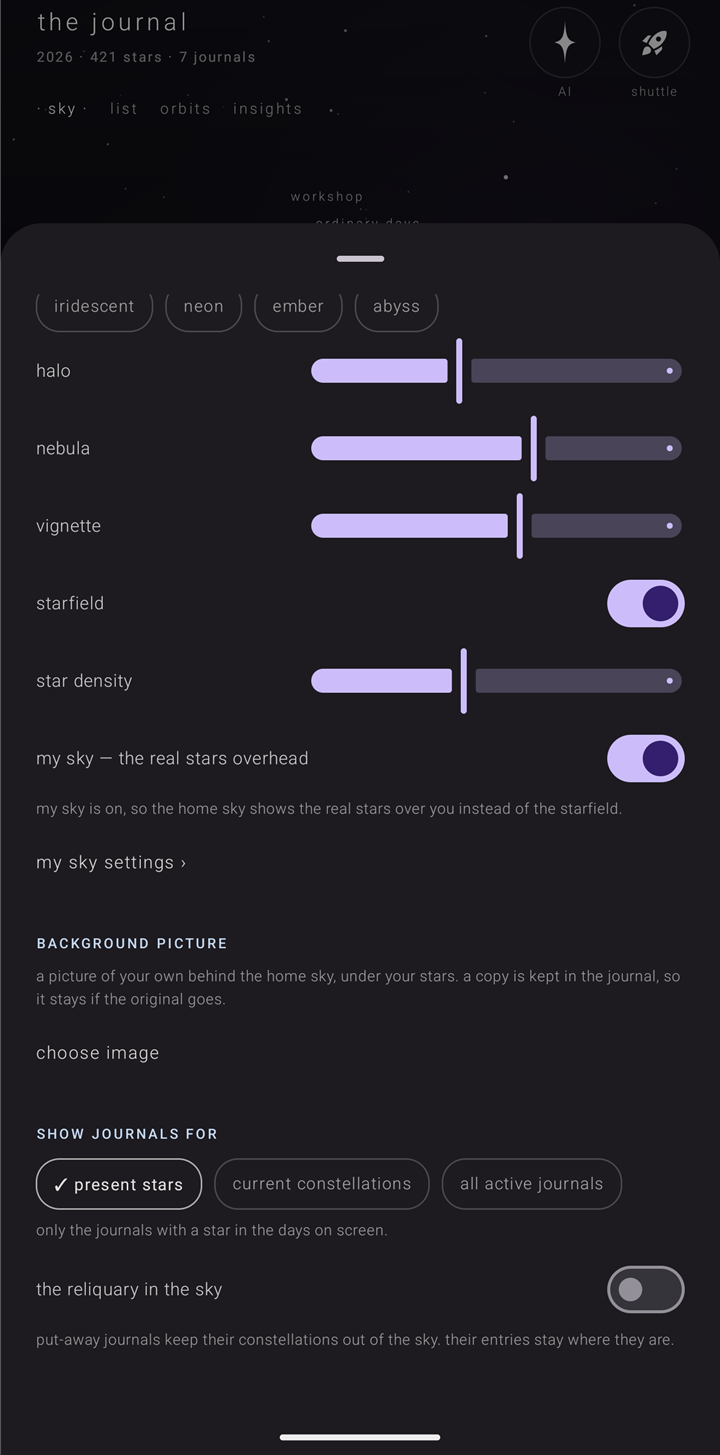
My sky draws the real night sky above you, right now, behind your entries, in place of the invented starfield. It is part of journal gold.
Turn it on
- Open settings › "the sky".
- Turn on "my sky — the real stars overhead". Without Gold it is marked "✦ gold", and a tap opens the Gold sheet.
- If the phone doesn't know roughly where you are yet, it asks for approximate location.
The line under the switch says where it stands: "my sky is on, so the home sky shows the real stars over you instead of the starfield." — or, until a place is known, "my sky needs to know roughly where you are. allow approximate location and the real stars appear." Until then the home sky keeps its plain starfield; it never makes up a place. Your place is rounded to about a kilometre and kept on this phone.
While my sky is on, "my sky settings ›" sits under it. Turn my sky off and the link and its page are gone.
My sky settings — one page for the whole phone
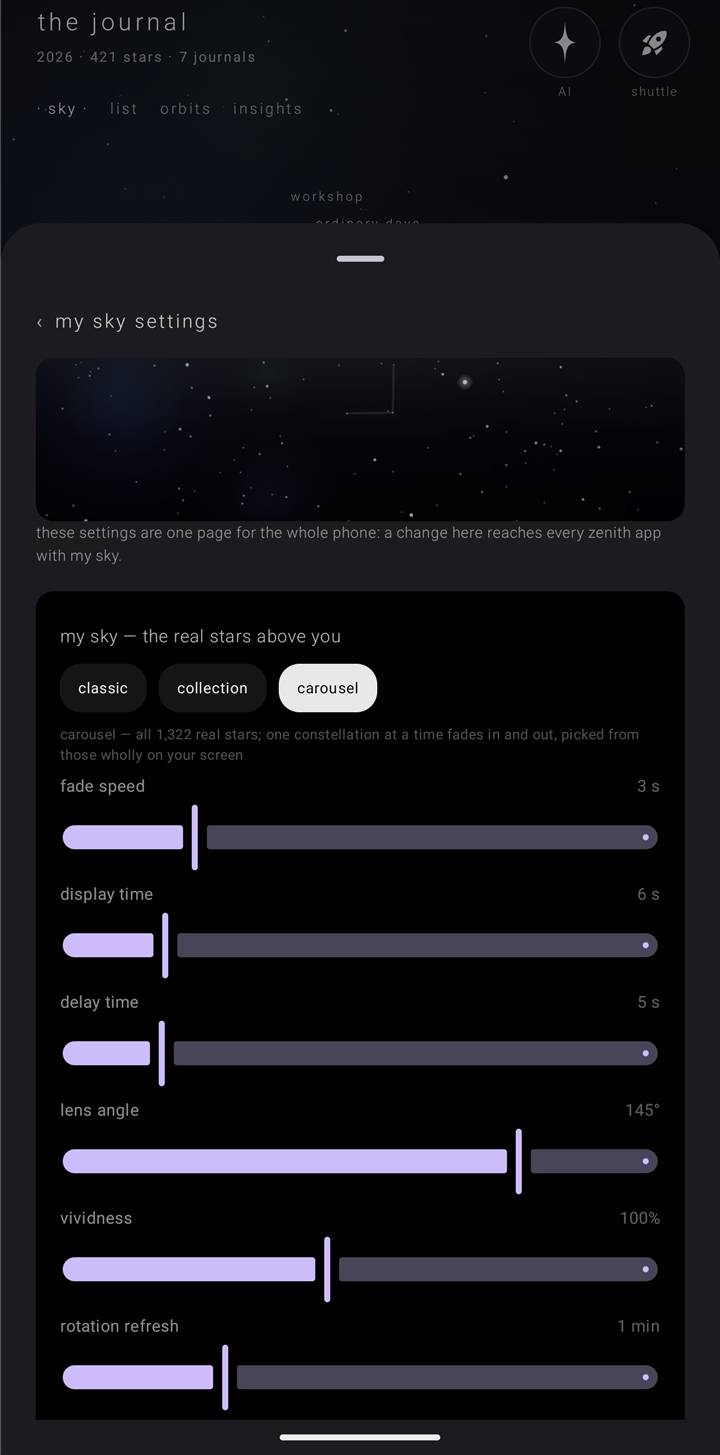
settings › "the sky" › "my sky settings ›". A small preview of the sky sits at the top, then the line "these settings are one page for the whole phone: a change here reaches every zenith app with my sky." Change something here and every Zenith app with my sky changes with it. Without Gold the page is dimmed, and a tap opens the Gold sheet. Back returns to "the sky".
The three versions
| version | what it draws |
|---|---|
| "classic" | the first my sky: the brightest stars, with the big dipper, orion, cassiopeia, the southern cross and the summer triangle. Where it starts |
| "collection" | all 1,322 real stars, with as many constellations as the "constellations" slider asks for, best known first |
| "carousel" | all 1,322 real stars; one constellation at a time fades in and out, picked from those wholly on your screen |
The sliders
| slider | what it does | range | starts at |
|---|---|---|---|
| "constellations" | collection only — how many constellations get their lines: 1 is just the big dipper, 88 is all of them. The stars are always all there | 1 to 88 | 33 |
| "fade speed" | carousel only — seconds a constellation takes to fade in, and again to fade out | 1 to 10 s | 3 s |
| "display time" | carousel only — seconds it stays fully shown | 1 to 30 s | 6 s |
| "delay time" | carousel only — seconds of sky with no lines before the next one | 0 to 30 s | 5 s |
| "lens angle" | how much sky fits on the screen: 30° is a small patch, 180° is horizon to horizon | 30° to 180° | 145° |
| "vividness" | how bright the stars and their glow are | 20% to 200% | 100% |
| "rotation refresh" | how often the sky turns to match the real sky: constantly, or every 10 s up to 24 h | constantly to 24 h | 1 min |
| "rotation glide" | seconds each turn takes. Hidden while "rotation refresh" is "constantly" | 1 to 30 s | 2 s |
"constantly" uses the most battery. With settings › "ease" › "reduce motion" on, the sky jumps instead of gliding, and "constantly" becomes once a minute.
Move it with three fingers
On the home sky, three fingers move my sky:
- pinch and spread to zoom
- drag to pan
- twist to tilt
- double tap to recenter — back to your "lens angle"
One and two fingers stay the Journal's own: they still place, carry and zoom your stars. See Tap, hold, drag & pinch.
How it looks
My sky is drawn in the theme's star colour, so "daytime" and "ink" get dark stars on a light sky. See Themes, colours & the sky's look.
settings › "about" › "my sky" says where the stars and the constellation figures come from; "the license ▾" opens the figures' license.
If Gold is lost
A my sky you already turned on keeps drawing; losing Gold never leaves the app looking broken. See Journal Gold.
Ask the sky
With Gold, Ask the sky can turn my sky on or off, change anything on my sky settings, and open that page. A change it makes reaches every Zenith app with my sky. Allowing location is yours, on Android's own screen.
See also.
Themes, colours & the sky's look · Tap, hold, drag & pinch · Journal Gold · Ease